Creating a comfortable and efficient home workspace is key to staying focused and motivated while working remotely. Whether you have a dedicated room or just a small corner, a cozy and well-planned workspace can make a big difference in your daily routine. In this post, we’ll explore helpful tips to design a home office that supports both comfort and productivity.
Choose the Right Spot
Finding the ideal location in your home is the first step. Consider areas that have:
– Good natural light: Bright spaces can elevate your mood and reduce eye strain.
– Minimal distractions: Select a quiet corner or room where interruptions are less likely.
– Adequate space: Make sure there’s enough room for your desk, chair, and any equipment you need.
If space is limited, even a small nook with a fold-out desk can work.
Invest in Comfortable Seating
Your chair is one of the most important pieces of your workspace. Sitting for long hours requires a chair that provides:
– Proper back support: Look for adjustable lumbar support to maintain healthy posture.
– Comfortable padding: Choose cushioning that balances softness with firmness.
– Adjustability: Height and tilt options help you customize your sitting position.
A good chair can prevent discomfort and keep you focused.
Organize Your Desk Setup
An organized desk helps minimize distractions and keeps essentials within reach. Try these organization tips:
– Use desk organizers: Trays, pen holders, and drawer dividers keep items tidy.
– Limit clutter: Keep only daily-use items on your desktop.
– Manage cables: Use clips or sleeves to keep cords neat and out of sight.
A clean workspace encourages a clear mind.
Optimize Lighting
Proper lighting reduces eye fatigue and creates a welcoming atmosphere. Consider:
– Natural light: Position your desk near a window if possible.
– Task lighting: Use adjustable desk lamps for focused illumination.
– Ambient lighting: Soft overhead lights complement your main lighting and prevent harsh shadows.
Adjustable lighting lets you tailor your environment to different times of day.
Add Personal Touches
While keeping your space functional, adding personal items can make it feel inviting. Ideas include:
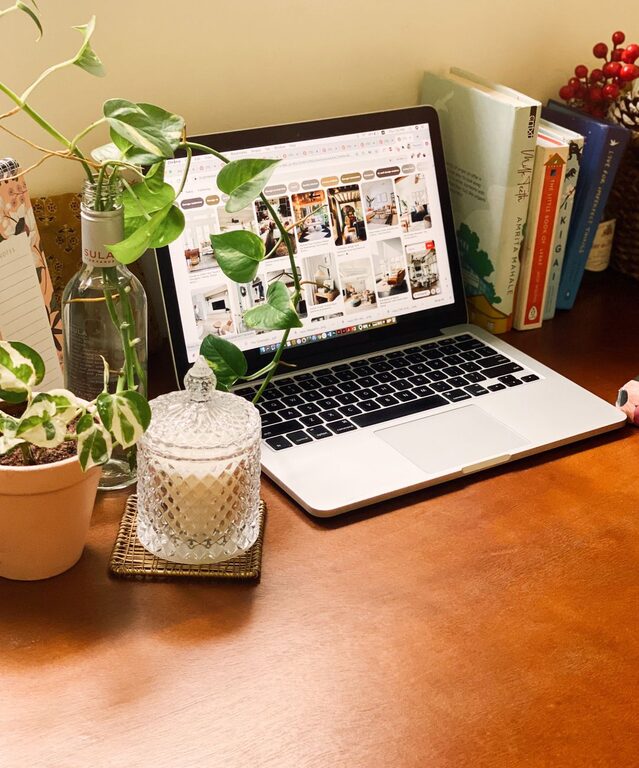
– Plants: Small indoor plants improve air quality and add color.
– Art or photos: Visual elements you enjoy can boost your mood.
– Decor: Stylish accessories or cozy textiles like cushions and throws make your space warmer.
Balance personalization with simplicity to avoid distractions.
Create Zones for Different Activities
If your workspace is large enough, designating specific areas for tasks can help you stay organized. For example:
– Work area: Desk and computer for focused tasks.
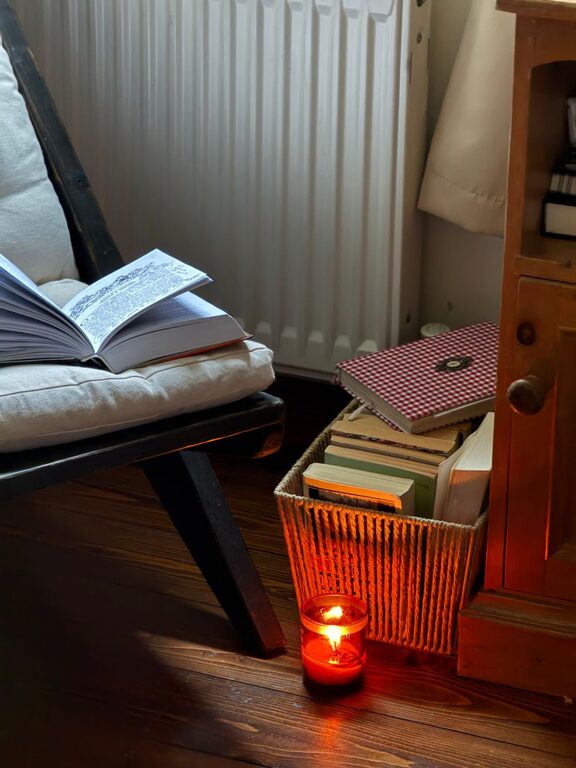
– Reading nook: Comfortable chair with good lighting for reviewing materials.
– Storage zone: Shelves or cabinets for supplies and files.
Breaking up your workspace helps separate tasks and maintain productivity.
Maintain Ergonomics
Ergonomics means arranging your workspace to support your body’s natural posture and movements. Simple ergonomic tips include:
– Monitor height: Keep your screen at eye level to prevent neck strain.
– Keyboard and mouse position: Place them close to avoid overreaching.
– Frequent breaks: Stand up and stretch every hour to reduce tension.
Ergonomic adjustments contribute to long-term comfort and health.
Minimize Noise Distractions
Noise can disrupt concentration. To limit it, try:
– Noise-canceling headphones: Helpful if you can’t control outside sounds.
– Soft furnishings: Rugs, curtains, and cushions absorb sound.
– White noise machines or apps: Consistent background noise can mask sudden disruptions.
A quieter workspace helps maintain focus throughout your workday.
Keep Your Workspace Clean
Regular cleaning prevents clutter buildup and promotes a pleasant environment. Tips include:
– Set a daily tidy-up routine: Spend a few minutes organizing before finishing work.
– Disinfect your desk: Wipe surfaces to reduce germs, especially on electronics.
– Clear out unnecessary items: Periodically review and remove unused materials.
A fresh workspace supports productivity and well-being.
Use Technology Wisely
The right tools can enhance your efficiency. Consider:
– Reliable internet connection: Essential for virtual meetings and research.
– Essential software: Use apps that help with task management and communication.
– Proper equipment: Invest in a good keyboard, mouse, headphones, and webcam.
Technology should support your workflow, not complicate it.
—
Final Thoughts
Designing a cozy and productive home workspace is about balancing comfort with functionality. By selecting an ideal location, investing in ergonomic furniture, organizing your desk, and personalizing your space, you can create an environment where work feels less like a chore and more enjoyable. Pay attention to lighting, noise, and cleanliness to maintain focus. With these tips, your home office can become a place where you thrive every day.